Custom 3D CAD & Jewelry Production

Bring a pencil sketch, reference photo or existing 3D file. Request a digital model, check a wax prototype, or work with RAVON and our specialist production partners on a finished piece.

How it works

  1. Share your idea

    Send your reference, measurements, quantity and target date. A rough sketch is enough to start.

  2. Review the design and quote

    Agree on the scope and schedule. Review CAD previews and estimated metal weight where applicable. Approve the metal, prototype and finishing stages before physical production.

  3. Check the wax and approve production

    For physical pieces, review the prototype at scale before casting. Agree on setting, polishing and plating for the finished piece.

  4. Receive your files or jewelry

    For CAD work, receive the agreed digital files. For physical orders, confirm dispatch and delivery arrangements with the studio.

Services and pricing

3D CAD modeling

Use a sketch to specify ring size, stone dimensions and setting details. Tell us whether you need an STL for prototyping or a 3DM file for further design work. Request a CAD-only quote per design. Your brief should specify the files you need, the number of views and any stone layout. Ask for the design fee, included revision rounds, extra-revision rates and first-preview date in writing before approving the work.

Share a design reference →
Wax printing & prototypes

Check scale and proportions before committing to metal. Wax is quoted per prototype, based on model dimensions, file preparation and quantity.

Request a wax quote →

Small-batch production

Start with a model, wax or existing casting. Request only the stages you need, including casting, filing, stone setting, polishing or plating. For a comparable batch price, give the quantity per design. Request a separate price for the prototype, one-time setup and each finished piece, including the selected metal, stones and plating. Confirm the minimum quantity and estimated dispatch date for that batch.

Request a production quote →

Turnaround and minimum order quantity (MOQ)

One prototype: Enter 1 in the quantity field to request a feasibility check and price.

Small batches: List the quantity per design and size. RAVON confirms the minimum for your chosen metal and process in the quote.

Timing: Include your target delivery date. Your quote will distinguish the first CAD preview, production after design approval, and shipping time.

Design study · The Ember Ring

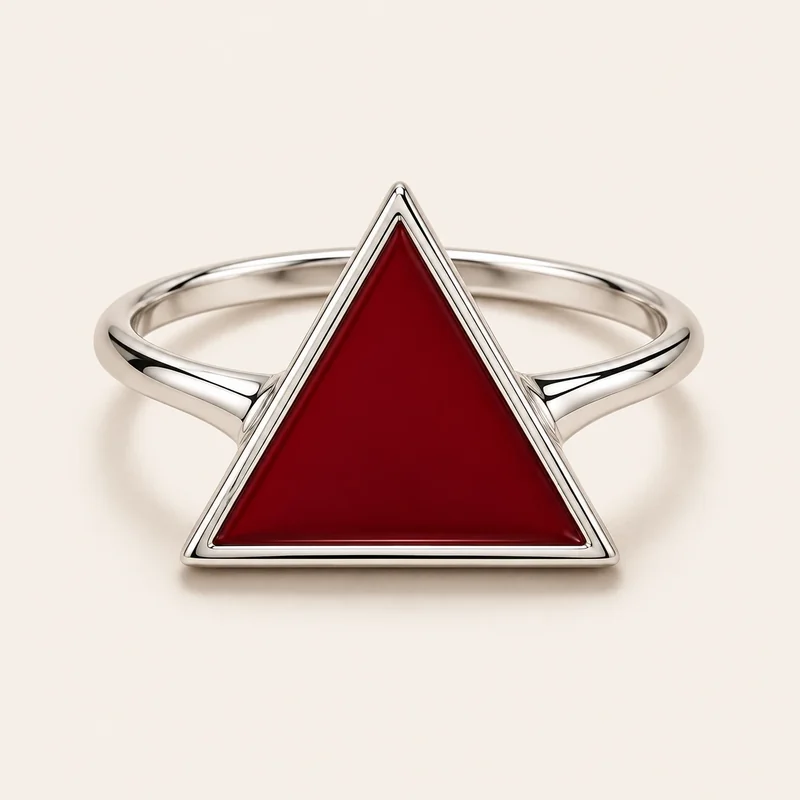
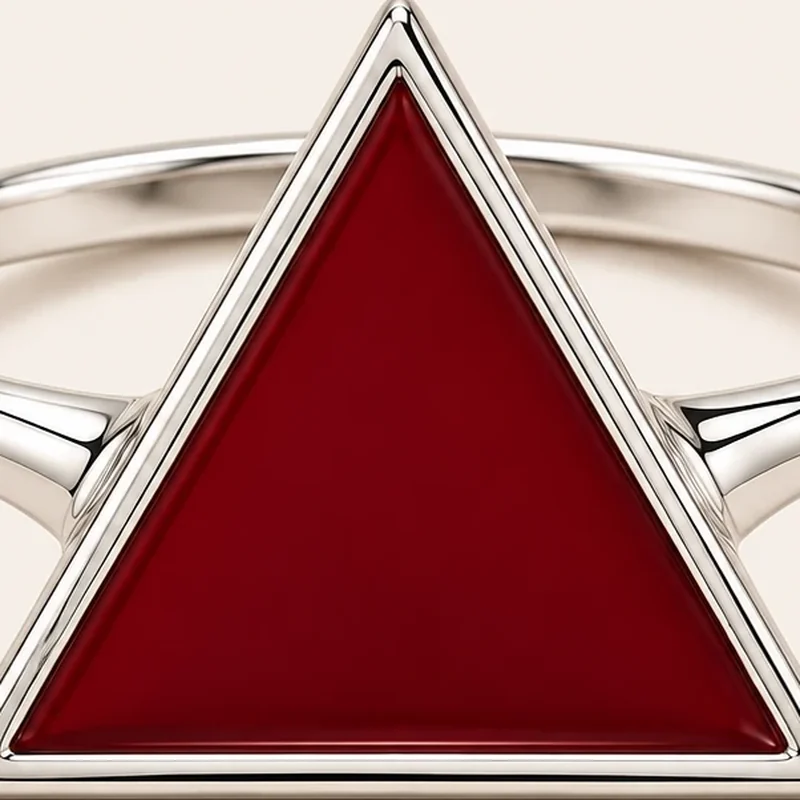
The Ember Ring expresses fire with a single geometric shape. An upward-pointing triangle holds deep red enamel inside a polished sterling silver frame. These two design renders show the overall silhouette and the enamel border at a closer scale.

Ember Ring design render showing the triangular face and silver band
Full ring · design render
Close-up design render of the red enamel and silver rim
Enamel and rim · detail render
View the Ember Ring →

Studio FAQ

Can I order just the CAD file?

Yes. Choose CAD / 3D modeling in the quote form and specify your preferred file format.

Can I bring a model that is already finished?

Yes. Tell us which production stage you need and use the STL / 3DM tools below to preview your model.

How accurate is the metal weight estimate?

The estimate depends on model volume, scale and the selected material. Casting and finishing can change the final weight. Confirm the metal and dimensions with RAVON before approving production.

When will I know the cost and delivery date?

Send your quantity, finish, delivery destination and desired date. RAVON reviews the brief and confirms scope, price and timing before you approve the order.

CUSTOM CAD & 3D MODELING

From sketch to structure.

Upload your sketch or reference photo, explore AI-assisted design notes, and send your brief to the RAVON team for a tailored quotation.

01 / YOUR DESIGN REFERENCE

Your images stay on your device until you request analysis or submit an enquiry. AI analysis uses the first image only.

02 / DESIGN ANALYSIS

Understand your design direction.

Visual AI reviews your uploaded image for likely jewelry type, motifs, CAD considerations and production questions. All findings are preliminary and require RAVON review.

Checking the studio analysis service…

Tell us about your project
Additional production details

For PDF references, include a link or attach the file to your email.

Email RAVON instead ↗

Automatic image submission requires Cloudflare private storage setup. If unavailable, use email and attach the images manually.

PLAN BEFORE YOU PRODUCE

From STL
to an estimate.

Estimate wax and metal weight.
Files are processed on your device, not uploaded.

No current file measurement.

Choose a local STL or 3DM file. The same file feeds the preview and calculation.

INTERACTIVE 3D MATERIAL PREVIEW

Your design, in a new light.

Choose an STL or 3DM above, or try the demo ring.
Material preview · not a final product photograph

Drag to rotate · right-drag to pan · scroll to zoom. Touch: one finger to rotate, two fingers to pan / zoom.

RAVON · DIGITAL STUDIO

Camera & Render Settings

LIVE 3D PREVIEW
Studio color is illustrative; not a final casting, material or gemstone guarantee.

Studio-inspired real-time materials, not the KeyShot engine or its proprietary material library. Gem presets approximate optical properties; spectral caustics are not simulated. GPU / WebGL is needed for reflections and refraction; compatibility mode shows basic shading. Render colour never changes calculated alloy density.

For separate stones, select their mesh above. Connected STL geometry cannot be split automatically.

20 gemstone colour presets · select a separate stone mesh before applying. Refraction is approximate and available in GPU mode only.

Choose the entire model or a separate mesh before applying metal or stone colour; stones are not automatically identified. Lighting, surface finish and your display affect the appearance. 3DM surfaces need saved render meshes; if missing, save with render meshes in Rhino or export an STL. For 3DM weight, select one closed metal mesh, then Calculate selected mesh weight. Confirm its coordinate unit above. Surfaces without a closed saved mesh need an STL export.

WAX TO METAL

Your design. In every metal.

Choose an STL, validate a selected 3DM mesh, or enter a known pattern weight.
Compare metals & density assumptions

Compare the solid volume in mm³ with MatrixGold / Rhino first, then use the same alloy density. This is a mesh estimate, not the MatrixGold engine. STL tessellation can differ from the CAD solid. Gold karat alone does not determine density. These are example alloys; use the supplier’s density for your yellow, white or rose gold. Extra casting metal is a user allowance, not a detected sprue or a finishing loss prediction. No shrinkage or polishing removal is applied. Exclude stones and non-metal parts from the geometry.

Density references: Stuller, Palloys, Hygrade, Alleima. 9K uses an approximate 11.10 g/cm³ example.

No file selected. STL files do not store units: choose the unit used when exporting.

Wax settings

Piece weight = solid volume (mm³) ÷ 1,000 × actual wax / resin density (g/cm³). Sprue allowance is shown separately. Printed resins can have a different density. 0.96 is an example for Ferris 3269 injection wax. It is not a universal wax or printable-resin density. Use your material supplier’s value. Allowance is user-defined and is not detected from the STL.

Optional cost settings · THB

Enter your workshop’s rates. No official RAVON prices are set. Empty prices stay unquoted.

Rubber mold from STL dimensions

One centered master in a rectangular two-part mold. Adjust wall and cover thickness to match your frame. The starting density of 1.18 g/cm³ is an example. Enter your supplier’s value. Include only channels that are separate from the uploaded master.

Enter a CAD-measured air volume for sealed spaces only. A through-hole or vented hollow that fills with rubber adds no sealed air. A hollow casting requires modeled inner and outer walls.

Choose a closed STL to calculate the mold.

Your shopping bag

Your bag is empty.

Explore the ready-made collection to add a piece.

GO TO THE SHOP ↗

Review your request

Your request has NOT been sent. Open your email application, review the message and press Send. If no email app opens, copy this request and manually email [email protected].

OPEN EMAIL APP ↗